KubeArmor now enforces layer 3/4 network rules on Linux VMs via a new CRD: KubeArmorNetworkPolicy. Policies support CIDR ranges, port ranges, interface scoping, and both ingress and egress control. Enforcement runs at the kernel via nftables and is stateful by default.
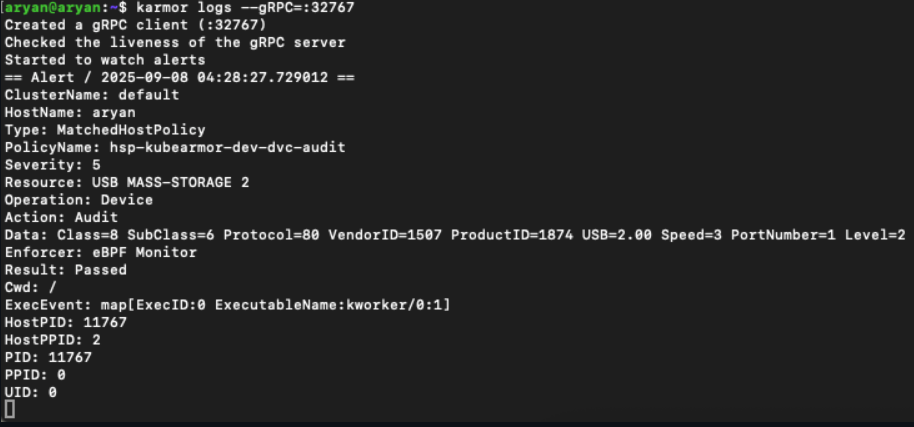
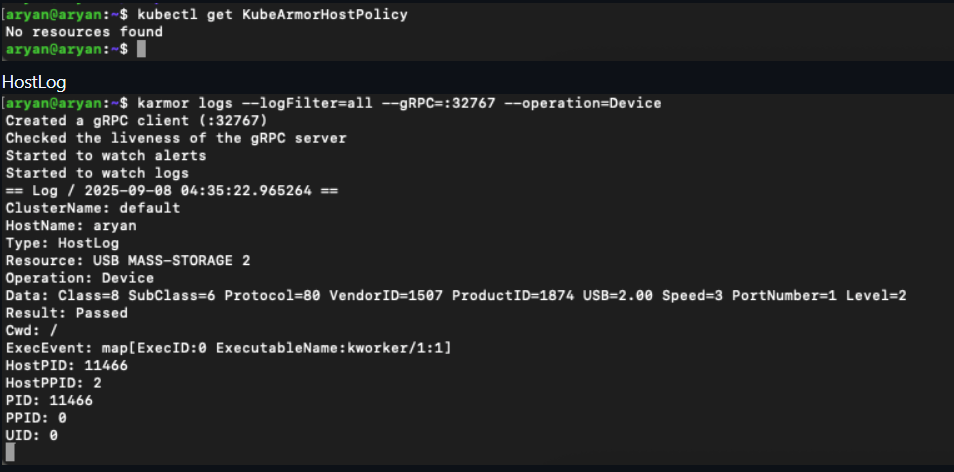
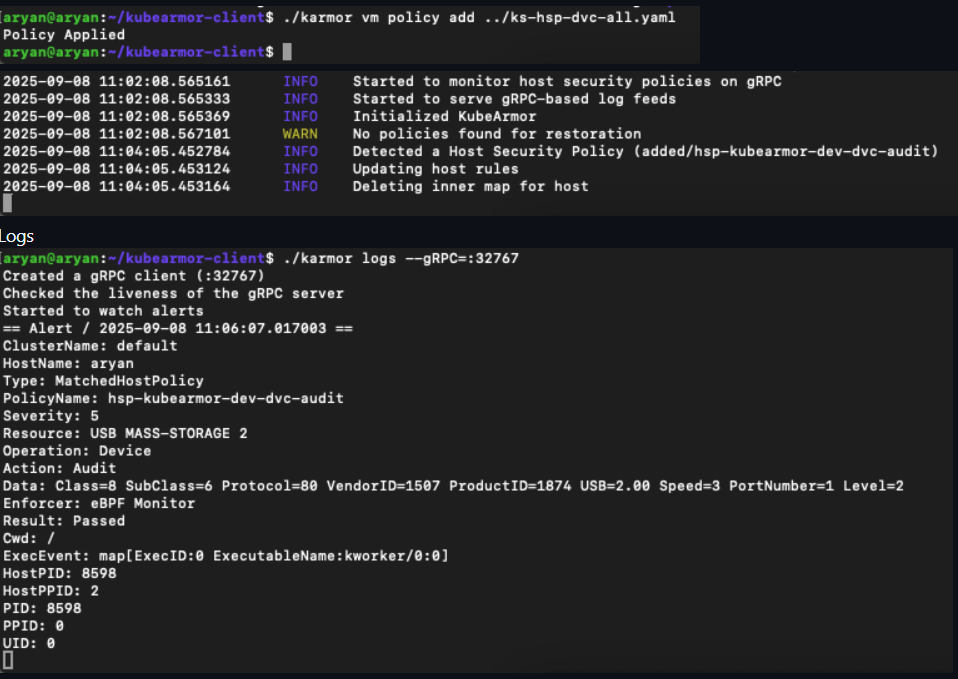
We're excited to announce a powerful new security capability in KubeArmor: USB Device Audit and Enforcement, now available in KubeArmor Host Policies. This feature, introduced in PR #2194 and tracking Issue #2165, significantly extends KubeArmor's runtime security scope, moving beyond processes, files, and networks to secure the physical hardware layer of your nodes and VMs.
Want to see it in action? Check out this demo video:
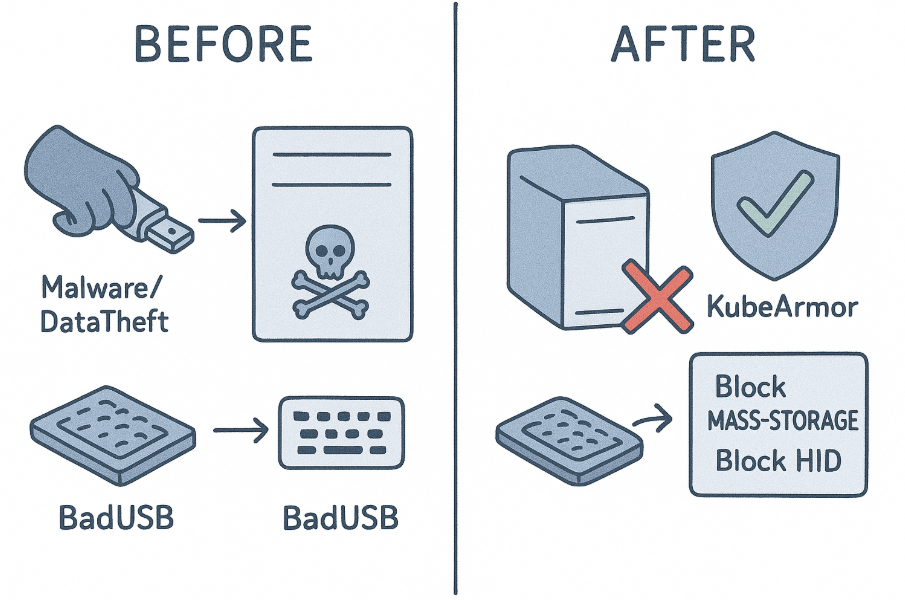
In any secure environment, physical access is a critical threat vector. USB devices, while ubiquitous, introduce substantial risks:
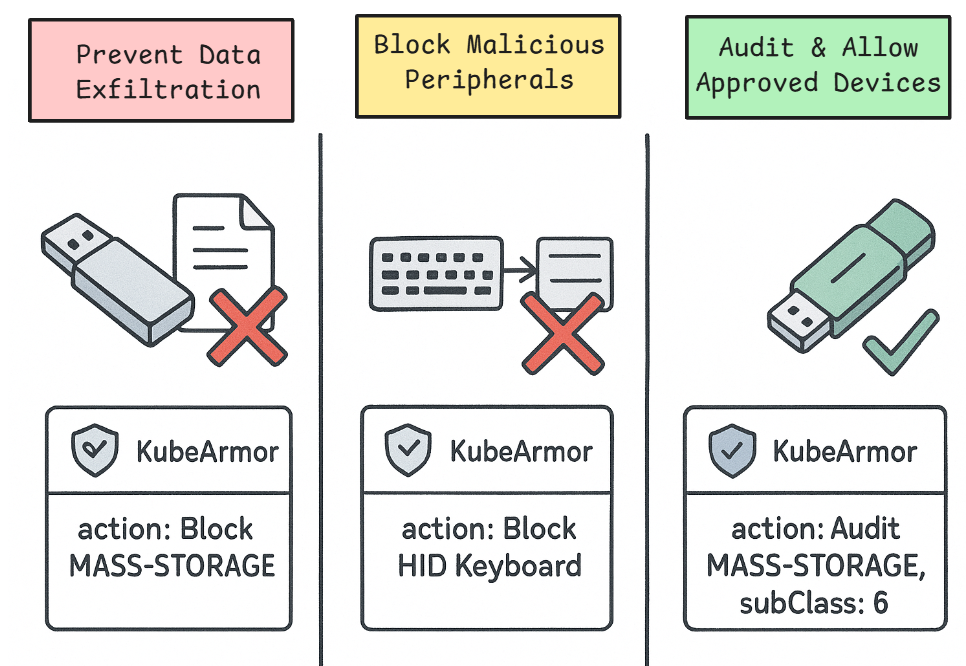
Data Exfiltration: Unauthorized USB mass storage devices can be used to easily copy and steal sensitive data.
Malicious Peripherals: Devices posing as keyboards (like "BadUSBs") can execute key-logging attacks or inject malicious commands.
Firmware-Based Attacks: Sophisticated attacks can target the device firmware itself.
Controlling which devices can be attached to a host is a critical part of a defense-in-depth strategy and a common requirement for regulatory compliance.
The new USB Device Handler gives you granular, policy-based control over USB devices at the host level. You can now create KubeArmor Host Policies to audit (log) or block (deauthorize) specific devices or entire classes of devices based on their attributes.
To provide robust, low-level control, the USB Device Handler operates by directly interacting with the Linux kernel:
Monitoring Kernel U-events: The handler listens to kernel U-events via a Netlink socket. The kernel emits these events whenever a USB device is attached or removed.
Device Enumeration: When a device is attached, the kernel enumerates it, reading its descriptors to identify its class, subClass, protocol, and other attributes. This information is included in the U-event.
Policy Matching: The USB Device Handler receives this U-event and matches the device's attributes against all applied KubeArmorHostPolicy resources.
sysfs Enforcement: Based on the policy's action (Audit or Block), the handler enforces control using sysfs-based authorization.
It writes a 1 (authorize) or 0 (deauthorize) to the device's authorized file within the sysfs pseudo-file system (e.g., /sys/bus/usb/devices/.../authorized).
Writing 0 instantly deauthorizes the device, unbinding its drivers and making it unusable by the system, effectively blocking it.
This mechanism ensures that even if a device is physically plugged in, it cannot be accessed or used by the host operating system if a "Block" policy is in place.
Configuration and Setting Up the USB Device Handler
To enable this feature, you need to update your KubeArmor configuration.
Enable the Handler: You must set two flags to true:
enableKubeArmorHostPolicy: true
enableUSBDeviceHandler: true
If you are running KubeArmor in Kubernetes, you will need to patch the DaemonSet. For systemd (non-Kubernetes) mode, you will add these flags to your configuration file.
Set the Default Posture:
A new flag, hostDefaultDevicePosture, is also available.
This flag (which defaults to audit) determines the action KubeArmor will take on devices that do not match any policy when running in allow-list mode (when there is at least one allow-based policy applied).
audit (Default): Unmatched devices are audited.
block: Unmatched devices are automatically blocked.
A new device block is now available in the KubeArmorHostPolicy spec. You can match devices based on class, subClass, protocol, and level (attachment level).
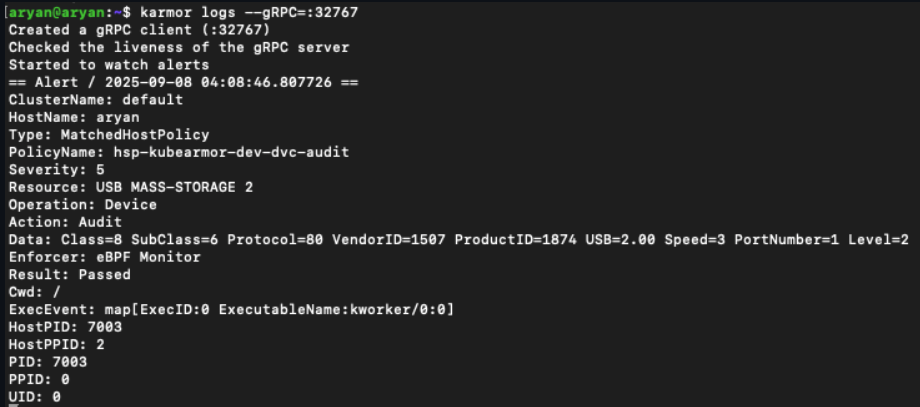
Example 1: Audit All Mass Storage Devices
This policy creates an Audit alert every time a USB mass storage device is attached. This is perfect for gaining visibility and meeting compliance requirements without being disruptive.
apiVersion: security.kubearmor.com/v1 kind: KubeArmorHostPolicy metadata: name: hsp-device-mass-storage-audit spec: nodeSelector: matchLabels: kubernetes.io/hostname: your-node-name # Target a specific node severity:5 device: matchDevice: # Class can be a string (e.g., "MASS-STORAGE") # or its numeric ID (e.g., 8) -class: MASS-STORAGE action: Audit # Logs the event
Example 2: Block All Mass Storage Devices
To prevent data exfiltration, you can simply change the action to Block.
apiVersion: security.kubearmor.com/v1 kind: KubeArmorHostPolicy metadata: name: hsp-device-mass-storage-block spec: nodeSelector: matchLabels: kubernetes.io/hostname: your-node-name severity:8# Higher severity for a block device: matchDevice: -class: MASS-STORAGE action: Block # Blocks the device
Example 3: Block Specific Malicious-Type Devices (e.g., Keyboards)
This policy demonstrates how to use more granular fields to block devices that identify as a keyboard (a common vector for BadUSB attacks).
The handler will allow a device that matches the second, more specific policy (a mass storage device with subclass 6 and protocol 80), while still blocking all other mass storage devices. This allows you to create fine-grained allow-lists for specific, approved corporate devices.
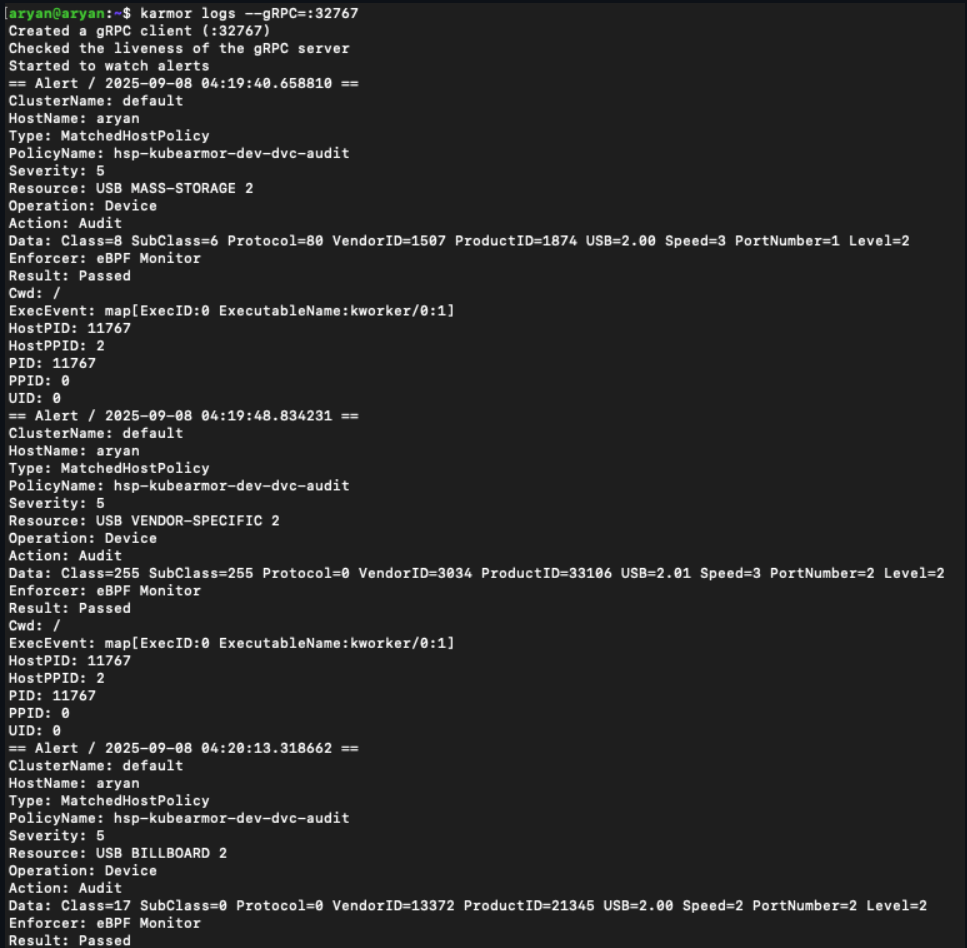
Policy In Action - Exact Match, Match All, Allow Based Examples
You can create policies using exact matches, match-all conditions, and allow-based approaches.
Exact Match Example - Audit a Specific USB Device:
The new USB Device Enforcement feature brings critical, hardware-level runtime security to your KubeArmor-protected hosts. You can now gain full visibility into device events, prevent unauthorized USB access, and build a more resilient security posture against physical threats.
A special thanks to AryanBakliwal for contributing this major feature.
Enforcing security policies in a zero-trust environment presents a fundamental challenge: controls enforced on the host can be compromised or create unintended side effects for other workloads.
A more robust approach sandboxes the security enforcement mechanism within the workload runtime environment itself, ensuring policies are isolated and specific to the workload they protect.
The integration of KubeArmor’s eBPF-based security with Confidential Containers (CoCo) achieves this isolated enforcement model. It details the proof-of-concept (PoC) architecture, policy enforcement mechanisms, and key security considerations for creating a zero-trust solution for sensitive workloads.
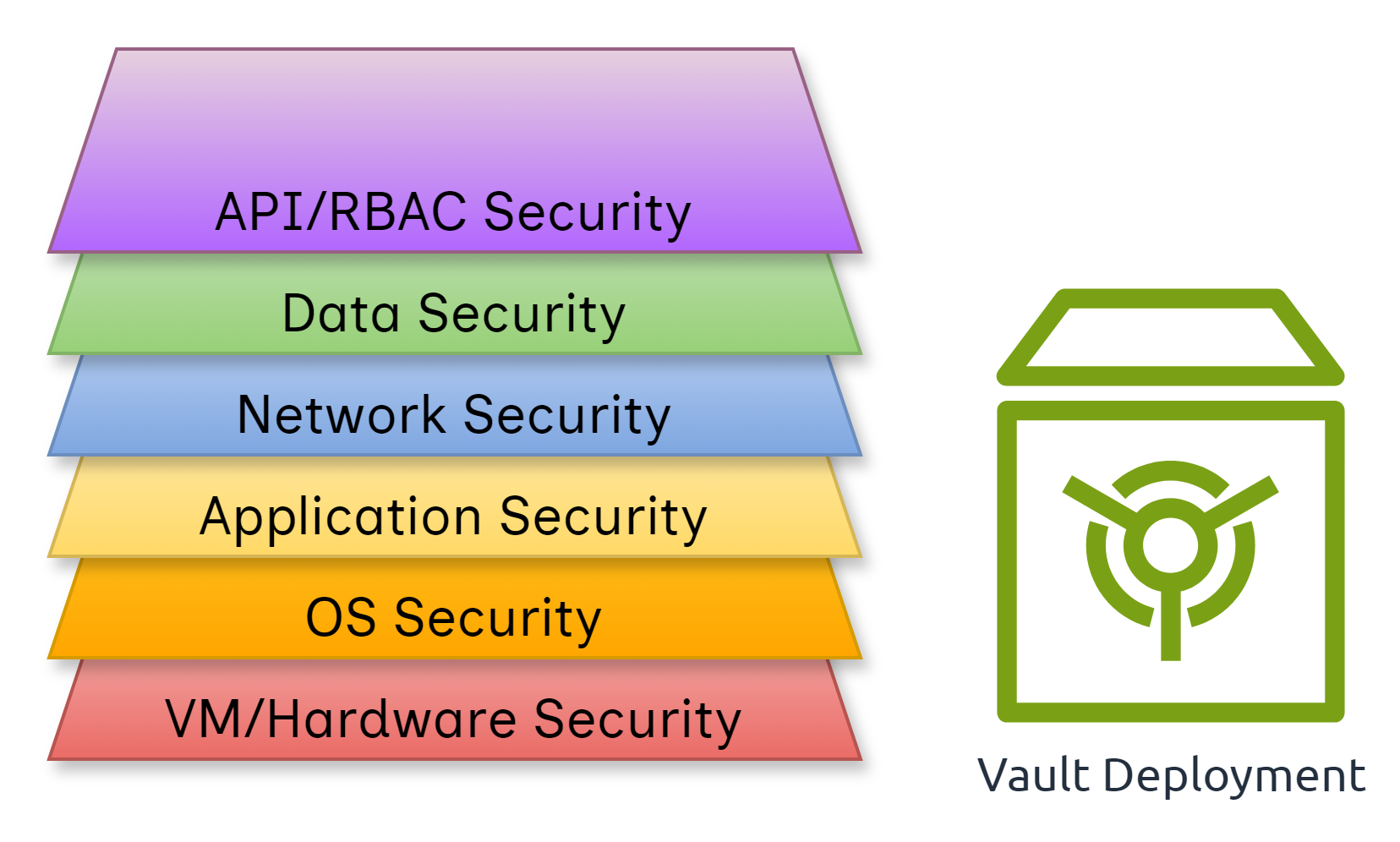
Securing secrets within a Kubernetes (K8s) environment is critical, and using a tool like HashiCorp Vault is a common best practice.
Vault stores highly sensitive data such as passwords, API tokens, access keys, and connection strings. A compromised vault can lead to severe consequences including ransomware attacks, organizational downtime, and reputational damage.
Relying solely on RBAC is insufficient. A defense-in-depth strategy combining strong authentication, network segmentation, least-privilege access, and runtime protection is essential.
However, all protections assume the control plane, worker nodes, and cluster admin are trusted. If the cluster-admin itself is compromised, RBAC and network policies fail.
This is where CoCo + KubeArmor integration provides immutable policies, runtime protection, and data-in-use protection inside hardware-backed enclaves.
This work was made possible through close collaboration with the Confidential Containers (CoCo) community. We thank all contributors and maintainers for their guidance, feedback, and support throughout the development and integration process.
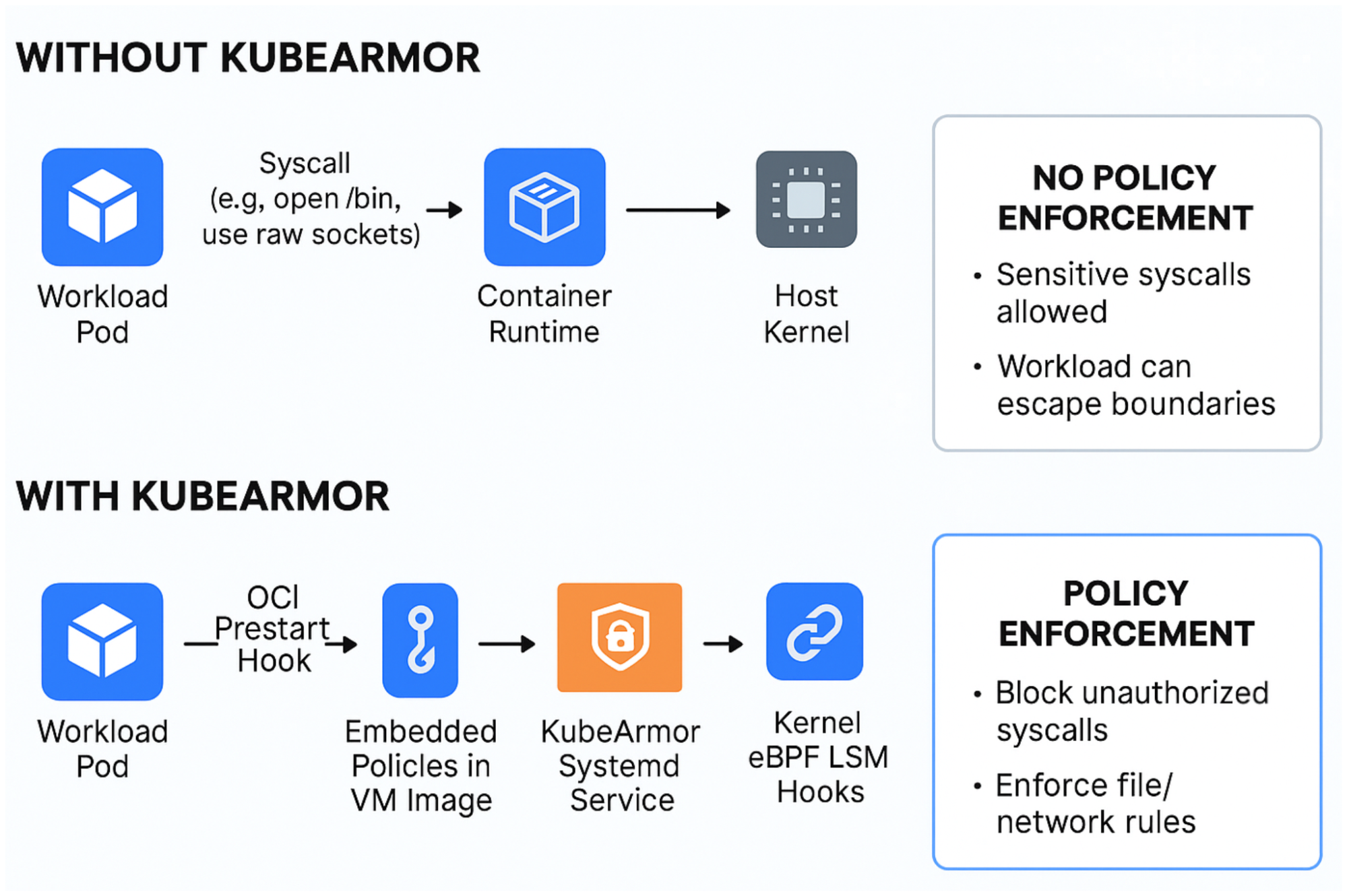
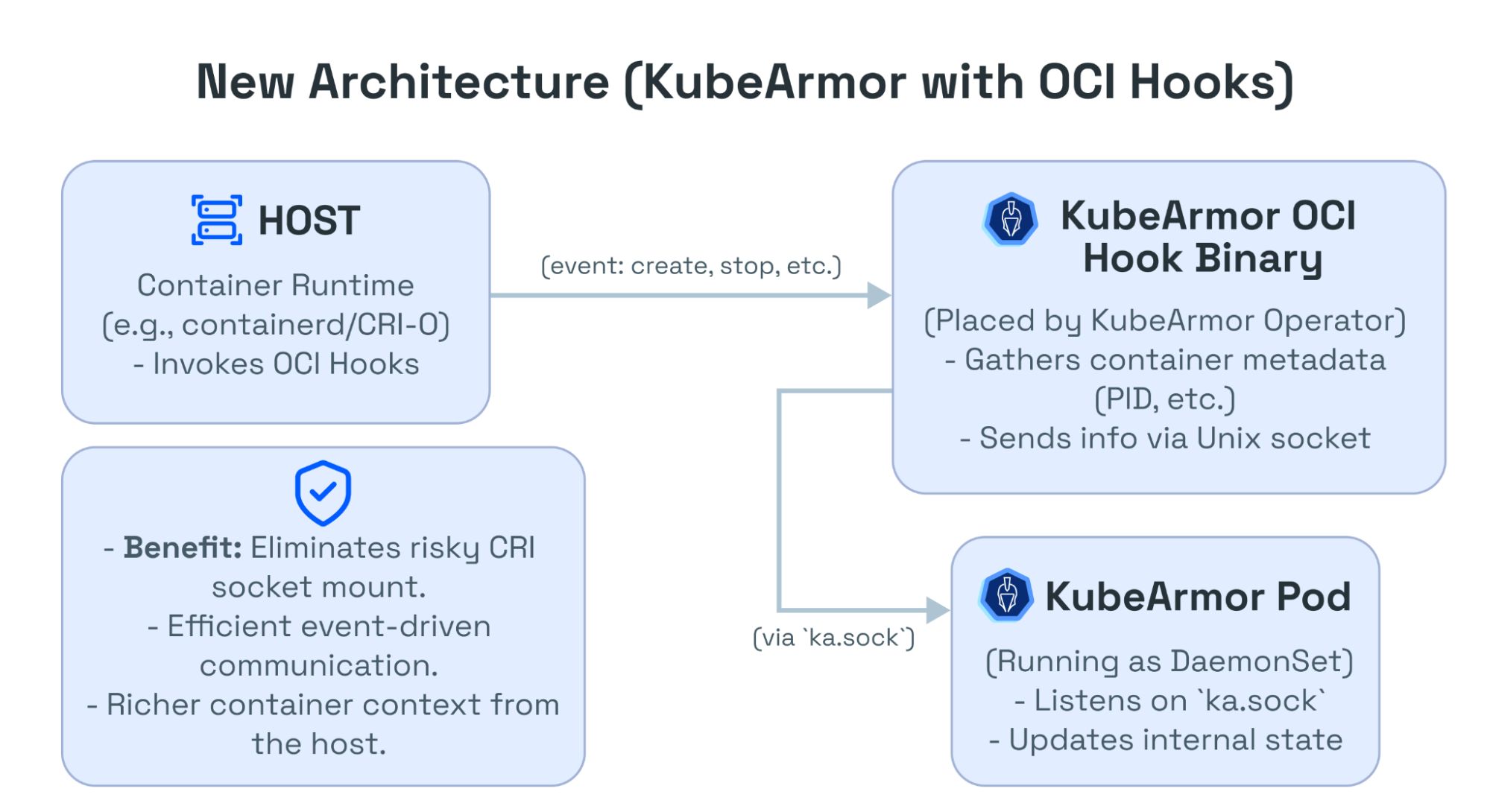
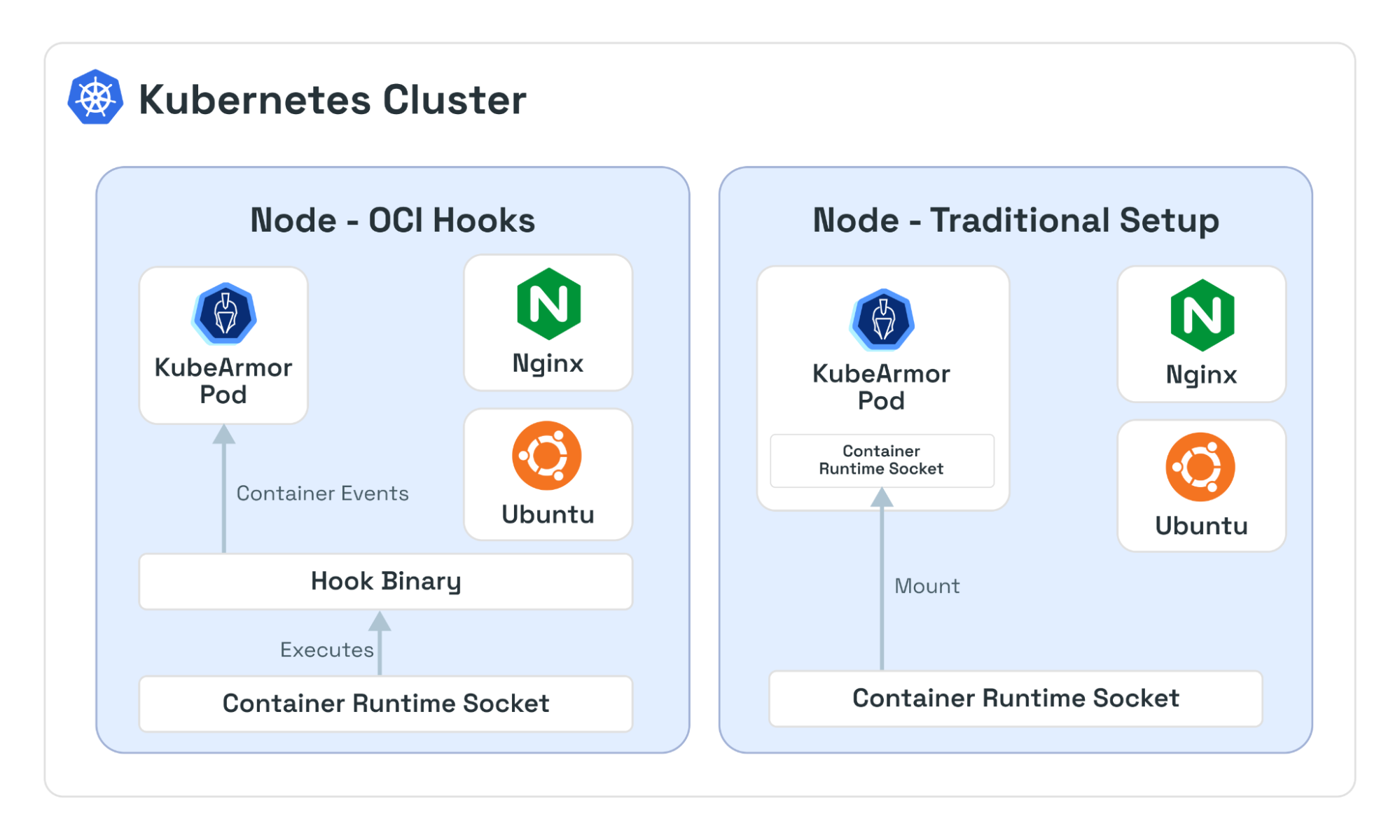
In practice, when a container runtime (like CRI-O or containerd) launches a container, it consults the OCI configuration (or NRI plugin) and executes any configured hooks at the appropriate stages.
Create runtime: After the runtime unpacks the container image and sets up namespaces, it runs the create runtime hook. For example, this could be used to register the container with monitoring tools.
Poststop: When the container process exits, the poststop hook is run. For example, this function can log the shutdown or trigger cleanup.
The OCI spec mandates hooks be executed in order, and the container’s state is passed via stdin, allowing the hook to identify the container (by ID, metadata, etc.).
⚠️ Note: A hook execution failure can abort container creation.